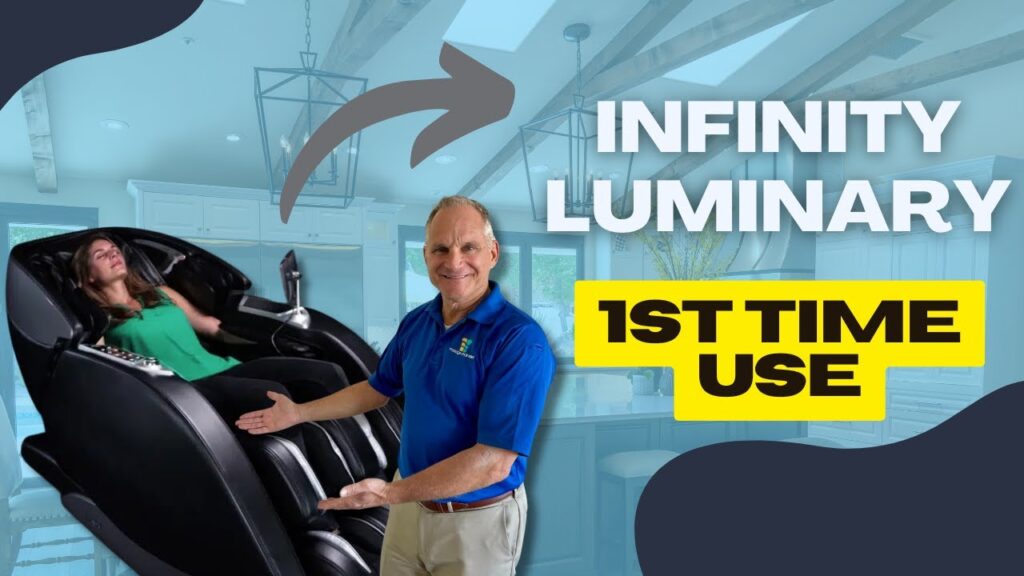
First Time in the Infinity Luminary Syner-D Massage Chair — Step-by-Step Guide
[Music]
Hi, I’m Dr. Alan Weidner from Massage Chair Relief, and today I’m going to show you how to operate the Infinity Luminary Syner-D massage chair for the first time.
The “Syner-D” refers to the split-track technology used in this chair. It was one of the earlier models to feature split-track rollers from the Rotai factory, which was the first manufacturer to successfully implement this technology.
Getting Into the Chair
When getting into the chair, always brace yourself with one hand on the armrest, especially if you have back pain or limited mobility. I strongly recommend not stepping on the ottoman, as it is not designed to support your full body weight and can break.
Instead, straddle the ottoman, slide yourself into the seat, and settle in carefully.
Powering On
The chair includes a tablet-style remote control and quick keys on the side of the chair. The quick keys are shortcuts for common functions, but to keep things simple, we’ll focus on the remote today.
Tap the screen to wake it up. The first thing you’ll see is a safety warning, reminding you to make sure there are no pets or children under the chair or ottoman. This warning appears the first time you use the chair. After reading it, tap the red Confirm button to continue.
Choosing a Program
I recommend starting with an Auto Program. Normally, the demo program is a great option because it explains what the chair is doing, but for this example, I’ll select the top-left auto program.
Once selected, the chair will begin its body scan.
During the Body Scan
The Luminary delivers a strong massage, so it includes multiple padding options. I personally like to remove the head and neck padding so I can better feel the rollers on my neck. If you want to do that, simply fold the pad over the back of the chair.
As the scan begins:
-
The ottoman will extend and retract to measure your leg length.
-
When it reaches the correct position, gently press your feet forward to confirm the measurement.
Important: During the scan, keep your head back against the chair. This allows the rollers to correctly locate the base of your skull, shoulders, spine shape, and muscle tension. The chair uses this information to customize the massage.
Let the Chair Work
Once the scan is complete, the program begins. At this point, you can simply relax and let the chair do its job.
As you become more familiar with the chair, you can adjust:
-
Roller speed
-
Roller intensity (depth)
-
Airbag compression strength
The default program time is 10 minutes, though you can adjust sessions anywhere from 5 to 30 minutes, which is typically the maximum length for massage chair programs.
You can also connect your phone via Bluetooth for music, but we’ll skip that for now.
Ending the Session
When you’re ready to finish, press the Stop button. The chair will automatically return to its neutral position, and the rollers will park safely inside the chair.
Do not exit the chair while the ottoman is still elevated. Never stand or put full weight on the ottoman—it can snap. I’ve seen this happen when children stood on it, and in some cases, the damage couldn’t be repaired because the chair was discontinued.
Once the chair is fully upright:
-
Straddle the ottoman again
-
Step out carefully
-
You’re done
Final Thoughts
Using the Infinity Luminary Syner-D is very simple:
-
Wake up the remote
-
Confirm the safety warning
-
Select an auto program
-
Let the chair do the work
I’ve done a lot of explaining here, but once you try it yourself, you’ll see how easy it really is.
I’m Dr. Alan Weidner from Massage Chair Relief, and I hope you found this video helpful. If you did, please give us a thumbs up, subscribe to our YouTube channel, and share this or any of our videos with friends and family on social media.
I’ll see you in the next video.
Bye-bye.